AutoCAD Release Timeline
AutoCAD 1.0 – December 1982 (Release 1) Initial release, although AutoCAD 1.1 was the first shipping version AutoCAD 1.1 – December 1982 AutoCAD 1.2 – April 1983 (Release 2) AutoCAD 1.3 – August 1983 (Release 3) AutoCAD 1.4 – October 1983 (Release 4) AutoCAD 2.0 – October 1984 (Release 5) – Codename None (Added 3D) AutoCAD 2.1 – May 1985 (Release 6) AutoCAD 2.5 – June 1986 (Release 7) AutoCAD 2.6 – April 1987 (Release 8) AutoCAD R9 – September 1987 – Codename White Album AutoCAD R10 – October 1988 – Codename Abbey Road AutoCAD R11 – October 1990 – Codename Let It Be AutoCAD R12 – June 1992 – Codename None (Added 3D modeling tools) AutoCAD R13 – November 1994 – Codename None AutoCAD R14 – February 1997 – Codename Sedona / Pinetop AutoCAD 2000 – March 1999 – Codename Tahoe AutoCAD 2000i – July 2000 – Codename Banff AutoCAD 2002 – June 2001 – Codename Kirkland AutoCAD 2004 – March 2003 – Codename Reddeer AutoCAD 2005 – March 2004 – Codename Neo AutoCAD 2006 – March 2005 – Codename Rio AutoCAD 2007 – March 2006 – Codename Postrio AutoCAD 2008 – March 2007 – Codename Spago AutoCAD 2009 – March 2008 – Codename Raptor AutoCAD 2010 – March 2009 – Codename Gator AutoCAD 2011 – March 2010 – Codename Hammer AutoCAD 2012 – March 2011 – Codename Ironman AutoCAD 2013 – March 2012 – Codename Jaws AutoCAD 2014 – March 2013 – Codename Keystone AutoCAD 2015 – March 2014 – Codename Longbow AutoCAD 2016 – March 2015 – Codename Maestro AutoCAD 2017 – March 2016 – Codename Nautilus AutoCAD 2018 – March 2017 – Codename Omega AutoCAD 2019 – March 2018 – Codename Pi AutoCAD 2020 – March 2019 – Codename Qubit AutoCAD 2021 – March 2020 – Codename Rogue AutoCAD 2022 – March 2021 – Codename Sequoia AutoCAD 2023 – March 2022 – Codename Turing AutoCAD 2024 – March 2023 – Codename Ursa AutoCAD 2025 – March 2024 – Codename Venn AutoCAD 2026 – March 2025 – Codename WattAutodesk Civil 3D Release Timeline
Civil 3D 2004 – August 2003 – Codename Vine Civil 3D 2005 – March 2004 – Codename Dozer Civil 3D 2006 – March 2005 – Codename Macallan Civil 3D 2007 – March 2006 – Codename Fenway Civil 3D 2008 – March 2007 – Codename Cannon Civil 3D 2009 – March 2008 – Codename Gastein Civil 3D 2010 – March 2009 – Codename Tuckerman Civil 3D 2011 – March 2010 – Codename MadRiver Civil 3D 2012 – March 2011 – Codename Ipanema Civil 3D 2013 – March 2012 – Codename JayPeak Civil 3D 2014 – March 2013 – Codename KayJay Civil 3D 2015 – March 2014 – Codename Lushan Civil 3D 2016 – March 2015 – Codename Matterhorn Civil 3D 2017 – March 2016 – Codename NorthTwin Civil 3D 2018 – March 2017 – Codename Osceola Civil 3D 2019 – April 2018 – Codename PatsPeak Civil 3D 2020 – April 2019 – Codename Qi Civil 3D 2021 – April 2020 – Codename Rattlesnake Civil 3D 2022 – April 2021 – Codename Stowe Civil 3D 2023 – April 2022 – Codename Tai Civil 3D 2024 – April 2023 – Codename Uncanoonuc Civil 3D 2025 – April 2024 – Codename Vail Civil 3D 2026 – April 2025 – Codename WashingtonAutoCAD Architecture
Architectural Desktop 1 – October 1998 – Codename Portsmouth Architectural Desktop 2 – July 1999 – Codename Mannheim Architectural Desktop 2i – July 2000 – Codename iMannheim Architectural Desktop 3 – March 2001 – Codename Cleveland Architectural Desktop 3.3 – March 2001 – Codename Palm Beach Architectural Desktop 2004 – March 2003 – Codename Exeter Architectural Desktop 2005 – March 2004 – Codename Juneau Architectural Desktop 2006 – March 2005 – Codename Rialto Architectural Desktop 2007 – March 2006 – Codename Kyoto AutoCAD Architecture 2008 – March 2007 – Codename Kiasma AutoCAD Architecture 2009 – March 2008 – Codename Tate AutoCAD Architecture 2010 – March 2009 – Codename Botta AutoCAD Architecture 2011 – March 2010 – Codename Potala AutoCAD Architecture 2012 – March 2011AutoCAD MEP
Building Electrical and Mechanical R1 – Codename Copenhagen Building Electrical and Mechanical R2 – Codename Ben & Jerry Building Systems 3 – Codename REA (Rome Edison Anchorage) Building Systems 2004 – Codename TLC (Tin Lead Copper) Building Systems 2005 – Codename Carthage Building Systems 2006 – Codename Tunis Building Systems 2007 – Codename Amoskeag Building Systems 2007.1 – Codename Chicopee AutoCAD MEP 2008 – Codename Merrimac AutoCAD MEP 2009 – Codename Acadia AutoCAD MEP 2009 CE – Codename Oktober AutoCAD MEP 2010 – Codename Kraken AutoCAD MEP 2011 – Codename Hydra AutoCAD MEP 2011 CE – Codename HofbrauAutoCAD Mechanical
AutoCAD Mechanical 2005 – March 2004 – Codename Pathfinder AutoCAD Mechanical 2006 – March 2005 – Codename Silverado AutoCAD Mechanical 2007 – March 2006 – Codename Singapore AutoCAD Mechanical 2008 – March 2007 – Codename Gutenberg AutoCAD Mechanical 2009 – March 2008 – Codename Edison AutoCAD Mechanical 2010 – March 2009 – Codename Harwood AutoCAD Mechanical 2011 – March 2010 – Codename Morse AutoCAD Mechanical 2012 – March 2011AutoCAD for Mac
AutoCAD for Mac – June 1992 AutoCAD for Mac R13 AutoCAD 2011 for Mac – October 2010 – Codename SledgeHammer AutoCAD 2012 for Mac – August 2011 – Codename Iron Maiden AutoCAD LT 2012 for Mac – August 2011 – Codename Ferris AutoCAD LT 2013 for Mac – August 2012 AutoCAD 2013 for Mac – March 2012 – Codename Jaws AutoCAD 2014 for Mac – Codename Sandstone AutoCAD 2015 for Mac – Codename Lightsaber AutoCAD 2016 for Mac – Codename Mandalore AutoCAD 2017 for Mac – Codename Naboo AutoCAD 2018 for Mac – November 2017 – Codename Obi-Wan AutoCAD 2019 for Mac – Codename Padme AutoCAD 2020 for Mac – Codename Qui-Gon AutoCAD 2021 for Mac – March 2020 – Codename Rogue AutoCAD 2022 for Mac – March 2021 – Codename SequoiaAutoCAD WS (Mobile and Web)
AutoCAD WS / WS Mobile – September 2010 AutoCAD WS for Mac – August 2011DWG File Version History
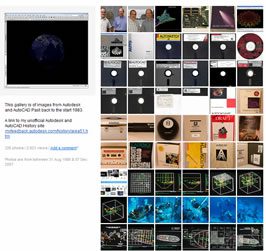
AC1032 – AutoCAD 2018 through AutoCAD 2026 AC1027 – AutoCAD 2013 through AutoCAD 2017 AC1024 – AutoCAD 2010 through AutoCAD 2012 AC1021 – AutoCAD 2007 through AutoCAD 2009 AC1018 – AutoCAD 2004 through AutoCAD 2006 AC1015 – AutoCAD 2000 through AutoCAD 2002 AC1014 – Release 14 AC1012 – Release 13 AC1009 – Release 11 and 12 AC1006 – Release 10 AC1004 – Release 9 AC1003 – Version 2.60 AC1002 – Version 2.50 AC1001 – Version 2.22 AC2.22 – Version 2.22 AC2.21 – Version 2.21 AC2.10 – Version 2.10 AC1.50 – Version 2.05 AC1.40 – Version 1.40 AC1.2 – Version 1.2 MC0.0 – Version 1.0 Autodesk and AutoCAD History Image Gallery

Hi,
that’s very interesting. Greetings fron Germany.
SMB
Hi Shaan,
A couple of things:
1. Were AC1001 & AC2.22 really both Version 2.22 as your list shows?
2. This link – http://www.mossdesigns.com/cadzette-v1i25.htm#article8
states AC1013 was used in R14 sample DWGs
Cheers, glad to see you’re still going,
Huw
My list of DWG versions is correct based on the file format that the release saves not the version of the sample files.
Regards,
Shaan
which release supported the mac system?
There were native apple Macintosh versions of AutoCAD R11 and R12.
Exciuse me sir!I have a question about AutoCAD 2010 logo:
To what belongs the Twin Towers design of the AutoCAD 2010 software logo?
Thanks alot!
Karim,
The towers are just a conceptual design made in AutoCAD 2010 by Guillermo Melantoni an AutoCAD Product Manager. Guillermo now has a blog “What a Mesh”.
http://autodesk.blogs.com/between_the_lines/2009/04/new-autodesk-blog-what-a-mesh-with-guillermo-melantoni.html
Sincerely,
Shaan
Hey Shaan, GREAT JOB on keeping this up to date!!! Lots of great information here.
Thanks
Bud
where could i find the history of the autocad and wh invented the autocad.
thank you!
Jason
Dean,
You can view the history from the Autodesk founder John walker at http://www.fourmilab.ch/autofile/www/autofile.html
Best Regards,
Shaan
Hi. I am an adult interior design student about to take an AutoCAD course (I have been told that AutoCAD LT will probably fit my future needs). I am looking to buy a laptop for personal and professional use and am tempted to buy a MAC. I have been reading your blog and wonder at this point whether you’d recommend a MAC or pc. Thanks, Abby
Hi Shaan,
Is there a bigger readable picture of the Timeline V1 to R2009?
It’s a nice picture I would like to use for different presentations I give in my company.
Thanks.
WJE
I was wondering when Autocad first had mouse or puck support? Was it there originally, or did it come in a later release?
Can I get a bigger and more clear image of AutoCAD history for a presentation on LCD projector
There is an image of the original size in Shaan’s flickr gallery:
http://www.flickr.com/photos/btl/3367641047/sizes/l/in/set-72157600140924927/
Do you know the date of the first version of AutoCAD LT?
Hi Shaan,
The link to AutoCAD 2011 doesn’t work!
http://autodesk.blogs.com/between_the_lines/autocad-2011-25-march-2011.html.html
http://autodesk.blogs.com/between_the_lines/autocad-2011-25-march-2011.html
Thanks for the useful article, can you answer this:
I have been sent files AC10214 and AC 10212. Are they both flavors of AC1021?
AC1021 is AutoCAD 2007/2008/2009.
Nice compilation… I am relatively new to AutoCAD but had No idea that it is such an old / evolving application… I appreciate your efforts.
Regards,
Anuj
Hi, great compilation about AutoCAD versions but:
1.-)AutoCAD 2011 is not Release 25, it’s Release 18.1, so list would be:…
AutoCAD 2011 (Release 18.1)
AutoCAD 2010 (Release 18.0)(DWG 2010)
AutoCAD 2009 (Release 17.2)
AutoCAD 2008 (Release 17.1)
AutoCAD 2007 (Release 17.0)(DWG 2007)
AutoCAD 2006 (Release 16.2)
AutoCAD 2005 (Release 16.1)
AutoCAD 2004 (Release 16.0)(DWG 2004)
AutoCAD 2002 (Release 15.2)
AutoCAD 2000i (Release 15.1)
AutoCAD 2000 (Release 15.0)(DWG 2000)
AutoCAD Release 14 (DWG r14)
So each new version of DWG format belongs to a internal new release of AutoCAD (Release xx.0)
Thank you. Wikipedia and you made the same incorrect conclusion.
You are going by the actual API versions used by the 3rd party developers of ObjectARX, not product releases. There is a distinct different. Indeed AutoCAD 2011 is the 25th release of AutoCAD.
Sincerely,
Shaan Hurley
Hi SHAAN……..
Realy U R rocking man……
Great man
And do sumthing better b4 u Sleep 🙂
Very useful information, thanks!
Shouldn’t last line (with URL) be:
AutoCAD 2011 (25) March 2010
instead of … March 2011 … unless my calendar runs slow 😉
Bickering, I know …
Thanks!
Patrick
Hi
Is there a place to find DWG made by each version ?
Jean
those numbers refer to versions not releases
happy Birthday Autodesk!
Thank you very much for these informations. They are very important for me! Autodesk AutoCAD is always the number one for me!
Andrea
Shann I am looking for a little history. Back in 1998, I puchased a copy of ALGOR software to simulate flake manufacture. See http://www.ele.net/algor/ff_intro.htm and, specifically http://www.ele.net/algor/ff_algor.htm . Later in 1999 I visited ALGOR’s offices in Pittsburg and learned how to write a front end to automate the program I was using.
I finished my research in 2003 and published my last webpage at http://www.ele.net/algor/flake_creation/SD_setup.htm .
Since that time I have pursued other interests. However, recently I have been ask to write a chapter for a book about what I did during these years. So in the early writing stages I went to the old ALGOR web page and discovered it no longer exists. I assume it was purchased by or it changed it name to AUTODESK. So, can you tell me or direct me to what has happened to ALGOR over the years?
Tony,
I am not familiar with the detailed history of ALGOR. If you email me at Shaan at autodesk.com I can forward your email to a team that might be able to provide you the information.
If you want to see old pages from the Internet check out the Internet Wayback Machine. Here is the history of the ALGOR website http://wayback.archive.org/web/*/http://www.algor.com
Cheers,
Shaan
Thank you, Nuno.
The AutoCAD History page is updated now. Next in sequence “X” – What will the letter X codename bring for possible names?
PING:
TITLE: Santiago Dao
BLOG NAME: Santiago Dao
Major thankies for the blog article.Really thank you! Fantastic.
Happy Birthday!
I find screenshot of AutoCAD for UNIX
Somebody Can help me
Thanx
AC1027 – DWG version for AutoCAD 2013 and there was a Mac version of AutoCAD R13 that you do not mention in your list. You are also missing your AutoCAD for Mac 2013 listings above as well, which were under the codename Jaws like their Windows counterparts.
Thank you Lee!
A mesh is rectangular 2d surface or it to be in triangular in it horizontal and vertical line are over lapping than make a small rectangular and this rectangular is to be 1 to thousand by same size like a net
yes enter command bmput
1993 start 4m rupees 495/-
I have a LATITUDE | E5500. I have AutoCAD 2010 and my time limit is April 8th, 2014, Should I buy a new laptop computer, that is Macintosh, then buy the new version of the Student AutoCAD program, or would my computer (LATITUDE|E5500) be enough to just re-order the new Studen t version of AutoCAD. I am hoping that you can still answer my question, My Student version expires 04/08/2014. I also would like to know where do I re-order AutoCAD, student version.
Thank You:
Joe E. Contreras
Joe,
If you are a student then get the free student software good for 3 year term at http://students.autodesk.com.
Best Regards,
Shaan
Hi
Thank you for keeping the Autocad history updated. I have started my Cad jobs with
version R11 to the latest release, Great!
Thank you
Prrasanna Kumar Mv
11/12/2017
at All,
I just step to my Museeum and found my Base with four disks 8″ Version 2.1 from 1985. Version 2.5 available. I have the original IBM PC and XT, but dont know, they still boot ?
Tutorials with 9.0 which was a Break Through ! i hope. I accompanied ALGOR
from 1993 to the END. Some University Licenses at RWTH Aachen Germany and KMIT NB King Monksuts Institute of Technology in Northern Bangkok./ Thailand..
I finished a 1000 Hours course with Autocad 2 D and 3 D and Architekture in 2010. my profession is FEM, and i own a MSC NASTRAN Li. Full unlimited all modules for 99 ys, so 72 yas for free ? I m looking to change to FUSION 360 for printing metal parts for Aerospace and medical Applications. so far ..
HAVE FUN ! Flohr, like Flohr/Otis, but without OTIS.
Very nice and useful ! Thanks. I found a similar blog while i search for AutoCad history and sharing the link below, hopeful it will helpful.
Thanks.
http://www.cadtraininginstitute.com/autocad-version-history
Thank you very much for this helpful post!
In my opinion, the way you are presenting the DWG file history is much better than in wiki.
Kind regards,
Evangelos
The information are so attractive.
Really i dos not known so much the history of Autocad. This article is so helpful for us.
Shaan, this list is extremely comprehensive, and the links to additional specifics of each release is way above and beyond and makes it way more valuable than just a simple listing.
Now the big question is, do you have something similar for Revit and/or Navisworks, or know of someone who does?
Thank you John. I’m not aware of a comparable list for Revit, but will ask around and create one if it doesn’t exist.
Very Nice Information About The AutoCad
Hello,Very informative post.Thanks for sharing this post with us.