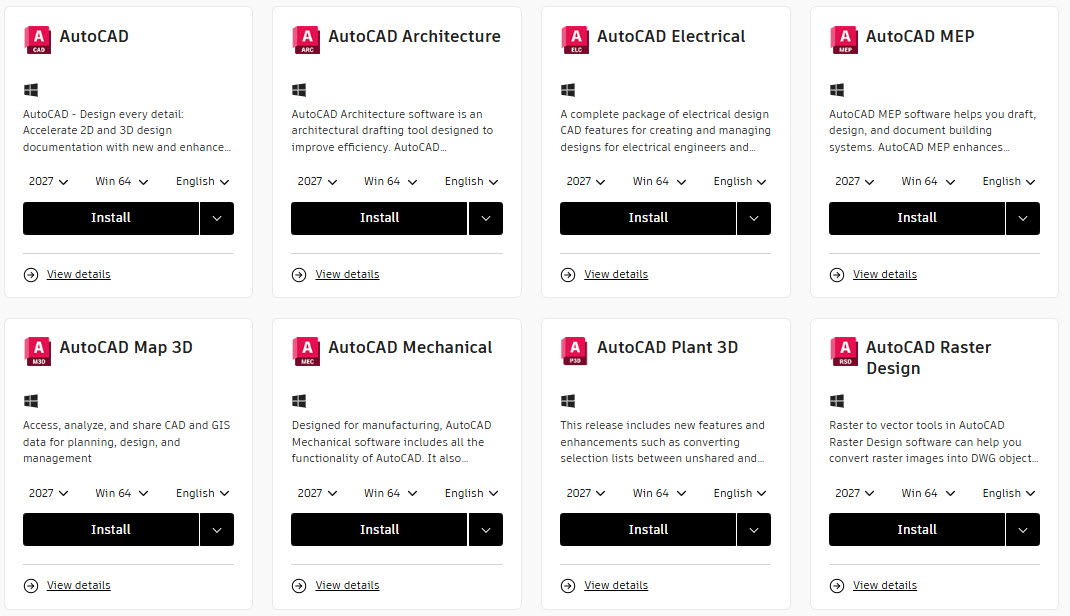
The AutoCAD 2027 release landed on Wednesday, March 25, 2026 including the toolsets, and Civil 3D following today Thursday, April 2, 2026. This is one of those releases where Autodesk is swinging for something bigger than a usual annual update, with AI-assisted workflows taking center stage alongside some useful drafting and civil engineering improvements including multi-user DWG editing.
AutoCAD 2027
Autodesk Assistant – AI That Understands DWG
The headline feature appears to be the Autodesk Assistant, shipping as a tech preview. This is not a generic chatbot bolted onto the side of AutoCAD. It is built on the Model Context Protocol, which is the current standard for giving AI models structured access to application context. In AutoCAD’s case, that means the Assistant understands DWG geometry, layer structure, object properties, and your CAD standards.
What does that look like day to day? You can type a prompt like “find dimensions with overridden values” or “list objects not on the correct layer” and the Assistant works through the drawing and surfaces the results. You can run standards audits conversationally against an actual standards file. Query layer lists, block usage, drawing-level information. Build a prompt library and share it across your team so QA becomes repeatable instead of depending on whoever happens to know the right command.
Voice input is supported too. Useful when your hands are on the mouse.
This is still a tech preview. Expect rough edges. The MCP-based training models will continue to improve, which Autodesk openly acknowledges. That kind of honesty about where the feature actually sits is appreciated.
Checkout – Multi-User DWG Editing
AutoCAD 2027 introduces simultaneous multi-user editing for DWG files stored in Forma Data Management. Users check out specific regions of a drawing, work in parallel, and AutoCAD handles conflict resolution and merging when changes come back together.
If that sounds like Civil 3D’s project workflow or Revit’s worksharing model, you are not wrong. That is essentially what Autodesk is bringing to core DWG collaboration for the first time. The requirement is Forma Data Management for file storage. Not available in AutoCAD LT.
For teams spread across offices working on the same drawing sets, this is a significant change to how parallel work can be structured. Whether it holds up at production scale with large drawings is the real question. We will find out over the next several months.
Geometry Cleanup
AutoCAD 2027 adds a Geometry Cleanup palette tool. It scans for common geometry errors: gaps, overshoots, undershoots, misaligned angles. Tolerance settings are user-adjustable. Errors are highlighted directly in the drawing window with visual markers, and you get zoom and pan support to navigate between them. For each error you get several fix options, or you can ignore the suggestion and leave the geometry alone.
One important note for Map 3D users. Geometry Cleanup is not the same as the Map Drawing Cleanup tool. They overlap in some areas but they are separate tools. Your existing Map 3D cleanup workflows are still there.
For anyone processing legacy DWGs, survey data, or files arriving from outside your organization, this is going to save real time.
Layout Tab Switching
Tab switching performance is improved in 2027. Autodesk has been promising this one for a while. For anyone who has watched the screen sit there every time they clicked to a new layout on a large drawing, welcome news. Worth verifying in your own environment whether REGENALL behavior changes as a side effect.
3D Graphics
Realistic (Fast) visual style is now on by default. The graphics system has better support for large coordinates, occluded edges, materials, lights, textures, shadows, sky, and backgrounds. Results vary based on local GPU capability.
Forma Data Management Essentials (formerly many names like AC360 and ACC Docs) – Now Included
Every AutoCAD and Civil 3D subscription now includes Forma Data Management Essentials. This is Autodesk’s cloud document management system, formerly Autodesk Docs, now rebranded under the Forma umbrella. You get online file collaboration, permission-controlled access, versioning, file sharing, and review tools.
What the Essentials tier does not include: API access, ISO 19650 workflows, transmittals, mobile access, and advanced BIM insights. Those require the full version.
For teams that have been living on shared drives and email threads, this gives you a supported CDE at no additional licensing cost. For smaller organizations that never had the budget for Autodesk Docs, that is a real change.
Connected References
The External References palette gets a new Missing References view. You can detach references that are no longer needed, update broken paths by browsing to a new location, or resolve paths automatically based on suggested locations for drawings opened from an Autodesk project. A practical improvement for anyone managing complex xref structures across project folders or cloud storage.
Connected Support Files
Shared Tool Palettes and shared CUI customizations are now supported through Forma. If you manage standards across multiple project teams, centralizing palettes and menus reduces the drift that happens when everyone maintains their own local copy.
Scheduled Product Updates
Admins now have control over when product updates are deployed. You can set policies that push updates to test machines first and roll out to production on your own schedule. For anyone managing a large deployment this is genuinely overdue. One thing to know: this requires updated versions of Autodesk Access and the other support stack components. Make sure those are current before relying on the new update policies.
What Got Removed
AutoCAD for the Web shared views, AutoCAD Mobile shared views, AutoCAD Shared Views, MrSID image support, and PSOUT (PostScript file output) are gone in 2027. The usual exceptions apply, so check the help files if any of those matter to your workflow.
AutoCAD Map 3D 2027
Map 3D picks up a few additions worth knowing about. KML export is now supported for FDO feature layer data, useful for sharing with GIS platforms. Cloud Optimized GeoTIFF interactions are significantly smoother. The ETRS89 / Portugal TM06 coordinate system (EPSG:3763) has been updated. FDO providers are refreshed: PostGIS now supports PostgreSQL 18.0 and PostGIS 3.6, SQLite supports 3.50.4. MrSID support is deprecated, consistent with its removal from base AutoCAD.
Civil 3D 2027

Civil 3D 2027 inherits everything from AutoCAD 2027, so everything above applies. The civil-specific additions in this release are substantial, with the drainage toolset getting the most significant overhaul.
Drainage Tools
This is the biggest feature addition for Civil 3D 2027. The Drainage Tools have been significantly expanded to connect Civil 3D’s design environment with InfoDrainage analysis capabilities through cloud services, without leaving Civil 3D. The three main areas are Ponds, Underground Storage, and Channels.
Ponds
Ponds gain a porosity option that specifies what percentage of the pond is actually available for storage. This is driven by fill material type. An empty basin is 100%. Rubble fill is typically around 30%. You can now select a connected Channel when configuring Pond outlets, and Pond rollover tooltips are customizable through the CUI editor.
Underground Storage
Underground Storage devices (UGS) get a substantial rework. They now behave like every other Civil 3D feature in terms of settings management. UGS has its own dedicated node in Toolspace – Settings, just like Pipes or Structures. You define default styles, naming rules, and hydraulic parameters once, and every new UGS object follows those settings from creation. No more manually resetting appearance or parameters on every new object.
Full connectivity support is in place for pipes, structures, ponds, and catchments. Catchments can be added to UGS inflows through UGS properties. Bi-directional property updates work when Pipe-SWC connectivity changes. Key properties including Depth, Bottom Elevation, Area, and Storage Volume are accessible directly in the Properties panel. Export is always CSV.
Channels – Multiple Slope Support
Channels get meaningful upgrades. You can now define multiple slopes for a single channel, either by identifying slopes from a channel baseline (profile or feature line) or by manually defining them. Profile tangents and curves can each be treated as separate segments. The multiple slope table includes validation with slope direction checks and station gap or overlap warnings.
You can also import a section from a selected assembly into a channel. That opens up some useful corridor-to-drainage integration workflows.
Pipe Labels and Pipe Network Vista
Pipe labels now display connected Stormwater Controls (ponds and UGS) across plan, profile, spanning, crossing, and section labels. The Pipe Network Vista uses Start Object and End Object terminology instead of “Structure,” which more accurately reflects the broader range of objects pipes can now connect to. Layer Properties are editable directly in Pipe and Pressure Network property dialogs. Arch, Elliptical, and Egg-shaped pipes can now be used in Analyze Drainage System alongside circular and box.
Drainage Compatibility and Data Shortcuts
Civil 3D 2027 lets you safely open, reference, and share drawings containing Pond, UGS, and Channel objects across different Civil 3D versions. A status bar icon with tooltip tells you immediately when a drawing’s drainage objects were created in a different version. Data Shortcuts work for sharing drainage data across versions, so referencing a Pond from an older project drawing in a 2027 host drawing just works.
Pipe and Pressure Pipe Catalog in Forma
Pipe and pressure pipe catalogs can now be stored in a Forma Data Management project. Designers with access to that project path automatically receive catalog updates. You can also set a catalog path from another project if you have the right permissions.
Horizontal Regression Analysis
The Horizontal Regression Analysis best-fit tool introduced in Civil 3D 2026.1 gets significant improvements in 2027.
The most visible addition is an in-drawing alignment preview. The proposed alignment generates from the regression engine output, georeferenced to drawing coordinates, and dynamically linked to the Curvature Plot and Segments Table. Select something in the Curvature Plot and the corresponding alignment segment highlights in the drawing. The preview regenerates automatically when algorithm settings or detection parameters change. HRA also now runs modeless, so you can zoom, pan, switch drawings, and inspect points without closing the HRA dialog.
The bigger addition is Machine Learning-based detection as an alternative to the Classic method. A toggle in the HRA dialog lets you switch between them. Autodesk explicitly notes that the AI model is pre-trained and does not learn from or use customer data, which they surface when you switch detection methods. Detection results recalculate automatically when you change methods. Switching may remove previously applied individual adjustments, and the tool warns you when that happens.
Stationing consistency is improved across the board. The Curvature Plot and detected geometry now share a unified stationing reference based on actual survey measurements, ensuring consistent values across plots and tables.
Daylight Feature Line – Tech Preview
Civil 3D 2027 adds the Daylight Feature Line tool as a tech preview. It automates daylight line creation from existing Grading Criteria. Created feature lines are standard Civil 3D feature lines, fully editable with familiar tools. Command options let you control Grading Criteria, Station Range, Side, Layer, Name, and Style at creation time.
Tech preview status means test it before you build workflows around it.
Feature Line Stability
The 2027 release addresses a long list of feature line bugs including crashes during weed, insert intermediate points, and undo/redo operations. Siteless feature line edits (select, raise/lower, offset, join) are faster due to optimized grading update logic. If feature lines have been a pain point, the fixed issues list in the release notes is worth reading carefully.
Autodesk Assistant in Civil 3D
The Autodesk Assistant tech preview in Civil 3D includes everything the AutoCAD version has, plus civil-specific capabilities: querying and modifying visual styles of Civil 3D objects, and analyzing and stylizing Civil 3D surface slope ranges.
Bridges
Imported InfraWorks bridges now display their full component hierarchy in the Prospector. Previously an imported bridge appeared as a single object. In 2027 it is expandable, giving you a clear view of all bridge components.
Dynamo for Civil 3D
Dynamo Core has been updated to version 4.0.2 with enhanced node performance and improvements to groups. PythonNet3 is now the default Python engine. New civil-specific nodes include Pipe.StartObject and Pipe.EndObject (replacing Pipe.StartStructure and Pipe.EndStructure), Catchment.ReferenceDischargeObject and Catchment.SetReferenceDischargeObject, and support for FAA and Kirpich time of concentration methods for catchments. Select Object and Select Objects nodes now work on locked layers.
Improved Spiral Tessellation
The enhanced spiral tessellation method introduced as an option in Civil 3D 2026.2 via the AECCENHANCEDSPIRALSAMPLING system variable is now the only method. The system variable is gone. If you were deliberately running the old method, that option no longer exists.
Deployment Notes
Before deploying 2027, make sure these support components are current:
- Autodesk Licensing Service 16.2.6.21
- Autodesk Identity Manager 1.01.18.1
- Autodesk Access 2.21
- Autodesk Desktop Connector 2027.0.0.29
Installation and deployment problems are likely without these in place. Civil 3D 2027 uses the AutoCAD 2018 drawing format. No format change in this release. Drawings saved in 2027 can be opened in Civil 3D 2019 through 2023 and AutoCAD Civil 3D 2018. Side-by-side installation with prior versions is supported.
One heads-up: as of the Civil 3D release date, significant parts of the online help files were broken. That may be resolved by the time you are reading this, but worth knowing if you hit walls in the documentation early on.
My Take
The AI angle will get the most coverage, and the Autodesk Assistant architecture is interesting. But the practical wins for most CAD managers are elsewhere in this release. The drainage toolset overhaul is deep and addresses workflows that have needed attention for a while. The Horizontal Regression Analysis improvements make that tool significantly more useful in practice. The feature line stability fixes address a long list of real complaints.
The checkout multi-user DWG editing is the one to watch. If it holds up in production on large drawing sets, it changes how distributed teams work on shared files. If it does not, it becomes a footnote. I’m not certain this is also implemented and to what level in Civil 3D 2027, and checking currently.
Further Reading
- What’s New in AutoCAD 2027 (Autodesk Help)
- AutoCAD 2027 Release Notes (Autodesk Help)
- AutoCAD 2027 Blog Post (Autodesk AutoCAD Blog)
- What’s New in Civil 3D 2027 (Autodesk Help)
- Civil 3D 2027 Release Notes (Autodesk Help)
- What’s New in Civil 3D 2027 Blog Post (Autodesk AEC Blog)
- AutoCAD Map 3D 2027 Release Notes (Autodesk Help)
- Autodesk Drainage Tools for Civil 3D (Autodesk Help)
- What’s New in Civil 3D 2027 (Autodesk Transportation Infrastructure YouTube)
- AutoCAD 2027 What’s New Video Series (AutoCAD YouTube)
- What issues have been fixed in Autodesk Civil 3D 2027.
- Known issues in Autodesk Civil 3D 2027.
