The Autodesk DWF Composer product website is www.autodesk.com/dwfcomposer.
You can purchase the product through Autodesk resellers or at http://www.autodesk.com/store for $99!
You can even upgrade the full Volo View 2 to Composer for $49.
See what Mark Douglas of MKM did with DWF and Hyperlinks Link to Article
Autodesk DWF Composer Overview
Improve the efficiency and speed of the entire design review process—review, markup, and revision—with Autodesk®DWF™ Composer. Built around the DWF™ (Design Web Format™) file format and developed specifically for engineering design data, DWF Composer helps you reduce costs, errors, and cycle times by keeping the whole process digital.
Facilitate team communication and increase productivity with easy-to-use DWF and DWG file viewing and printing, round-tripping of markups directly back into the AutoCAD® 2005 family of products, comprehensive redlining and annotation tools, complete sheet set organization, and powerful status-tracking capabilities.
Faster, More Efficient Collaboration and Review
By enabling team members to work with electronic sheet sets, Autodesk DWF Composer streamlines the review process. Even design professionals unfamiliar with CAD will find it easy to use the DWF Composer tools to review, mark up, and revise sheet sets and communicate changes to other members of the project team.Review Mark Up Revise Integrated Markups Only Autodesk DWF Composer supports complete round-tripping of markups, annotations, and other changes into the AutoCAD 2005 family of software products. You never have to reenter information. The designer can then go through all the comments on the sheet set and incorporate changes or initiate another round of reviews. The DWF Composer markup capabilities combine with the navigation capabilities of AutoCAD 2005 to make tracking changes easy.
DWF for Design Data
DWF is the way to go for sharing design information, because the file size is smaller and faster to transmit than either native design file formats or widely known alternatives like PDF. DWF files can be as small as one-tenth the size of PDF files. And unlike JPG, TIF, or PDF, they retain the intelligent design data of the original drawing. The result? Members of your extended team see exactly what you intended.DWG Viewing
You can use DWF Composer to review and mark up drawings, maps, and models in DWF or DWG files, because DWF Composer includes functionality for viewing and plotting DWG files. Since the DWG viewer is built on the same viewing technology as AutoCAD software, you are assured of full drawing fidelity. View and plot DWG files and then publish them as DWF files for quick and easy distribution and design review even by non-AutoCAD users.
Workflow and Productivity ToolsDWF Composer provides a variety of tools for an expedient and successful review process. Add, delete, and reorganize DWF files and sheets, including timelines, images, specifications, and other project information, to create discipline-specific sheet sets or archives. Change review status and quickly address open issues by selecting Question, For Review, or Done in the Markup Properties dialog box. Use markup tools to add comments to drawing sets electronically. The Markup Tab of the Drawing Set Navigator automatically records markups as you make them.
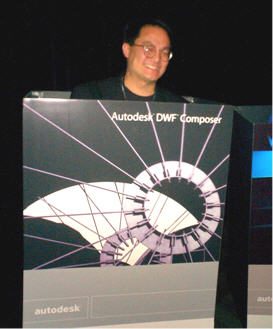
Below is an image of Doug Look the Autodesk DWF Composer Product Manager in a DWF Composer box.

