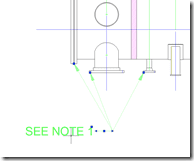
In the past many had custom routines and blocks to create multiple point leader but the objects were normally not associative to the objects or a single AutoCAD object so that they could be easily updated or edited. In AutoCAD 2008 a new object the Multileader was added to solve this request and need. You can create, update associate and even edit with grips the new Multileader. The command to create a Multileader is MLEADER.
For example you may want to use a Multileader to indicate multiple areas for a specific note such as surface finish or callout items with bubbles for materials.

You can create new Multileader styles using the AutoCAD command MLEADERSTYLES.


You can also change the Multileader type from Mtext, Block, or None.

Showing multiple styles of Multileaders.

You could also list items in a AutoCAD Table for a Bill of Materials with live totals from Data Extraction as an example.

Excellent references on Multileaders
Erhan Toker of http://www.dailyautocad.com/ has wrote a free 10 page Multileader e-book. http://www.dailyautocad.com/dimensioning/new-e-book-autocad-2008-multileader-command/
Heidi Hewett’s blog post on Multileaders http://heidihewett.blogs.com/my_weblog/2007/02/multileaders.html
CADman-DO by David Cohn
http://cadman-do.blogspot.com/2007/08/copying-multileader-styles-in-autocad.html

Another quick look:
http://rkmcswain.blogspot.com/2007/05/lets-take-quick-look-at-new-mleader-or.html
But AutoCAD 2007 can not display multileader object even if I have installed Autodesk architecture desktop object enabler.
Any solution else?
Minh,
If you have the AutoCAD System Variable PROXYSHOW set to it’s default of 1, you should see the multileaders in 2007. The Multileader object is not in the AEC Object Enabler.
Best Regards,
Shaan
Question:
Can you inport already created Multileader styles from an existing drawing into a new drawing?
You can with regular dimmension styles but multileader styles apear not to be there in the design centre window. Any help greatly appreciated!