Included with Auto CAD 2009 are a series of cue cards to learn new product features. These can also work great for a lunch and learn session in an office to help others on your team learn new features and the productivity benefits and tips and tricks. My cue cards are located at: C:\Program Files\AutoCAD 2009\Help\newfeatures\acad_cue_cards.pdf
There is also a New Icon Quick Reference in the same directory named acad_new_icons.pdf.
2 comments
I would like do become an AUTOCAD and associated softwares distributer, please assist me with any further information to help me with my quest. I am in Gaborone, Botswana.
Your advice will be greatly appreciated
Loading...
Allan,
You can get information on becoming an Autodesk reseller in Africa by emailing info@autodesk.co.za or by contacting the Autodesk office.
Autodesk Ltd (Africa)
Central Office Park
Block 12, Unit 35
257 Jean Avenue
Centurion, 0046
South Africa
Tel. +27 12 6648115
Fax +27 12 6640721
PING:
TITLE: Stein’s Spot: AutoCAD 2009 Cue Cards Online
BLOG NAME: Between the Lines
AutoCAD Product Designer Matt Stein has posted about the AutoCAD 2009 Cue Cards on his blog which are a helpful bunch of tutorials or summaries of new features that can be used as Lunch and Learn sessions for your fellow
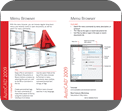
 Included with Auto CAD 2009 are a series of cue cards to learn new product features. These can also work great for a lunch and learn session in an office to help others on your team learn new features and the productivity benefits and tips and tricks. My cue cards are located at:
I would like do become an AUTOCAD and associated softwares distributer, please assist me with any further information to help me with my quest. I am in Gaborone, Botswana.
Your advice will be greatly appreciated
Allan,
You can get information on becoming an Autodesk reseller in Africa by emailing info@autodesk.co.za or by contacting the Autodesk office.
Autodesk Ltd (Africa)
Central Office Park
Block 12, Unit 35
257 Jean Avenue
Centurion, 0046
South Africa
Tel. +27 12 6648115
Fax +27 12 6640721
PING:
TITLE: Stein’s Spot: AutoCAD 2009 Cue Cards Online
BLOG NAME: Between the Lines
AutoCAD Product Designer Matt Stein has posted about the AutoCAD 2009 Cue Cards on his blog which are a helpful bunch of tutorials or summaries of new features that can be used as Lunch and Learn sessions for your fellow