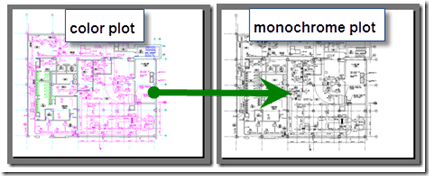
So you want to take you multi-colored drawing and plot it in just black and white, but how? This post is a direct result of a question I received from an attendee on the See the Difference with AutoCAD 2010 Tour in October.

In AutoCAD when you go to the Plot command and enter the Plot dialog expand the Plot dialog.

Select the Monochrome plot style (ctb or stb). Now select Apply to the Layout and preview or Plot and you should should be good to go.

Cheers,
Shaan
Update 12-14-09: I was unaware that AutoCAD Architecture "ACA" did not contain the basic monochrome CTB plotstyle so I am posting it here on the post. Download Monochrome.
Update 12-15-09: There is a monochrome plot style in ACA just not too obvious. There is AIA Standard.ctb which happens to be monochrome. Thanks Bill and Jeff.

Hello well when ever i print its print in reverse direction, how can get it back the way it use to print?
Hello well when ever i print its print in reverse direction, how can get it back the way it use to print?
If using STB make sure none of the layers are set to a Normal plot style name or you will still get color.
If using STB make sure none of the layers are set to a Normal plot style name or you will still get color.
What if you are using AutoCAD Architecture and there is no “Monochrome.ctb”? How do I get the monochome plot style to my AutoCAD Architecture 2010?
What if you are using AutoCAD Architecture and there is no “Monochrome.ctb”? How do I get the monochome plot style to my AutoCAD Architecture 2010?
Randy, I was not aware that ACA did not have that basic and needed plot style. I will post the CTB to the blog post.
Cheers,
Shaan
Randy, I was not aware that ACA did not have that basic and needed plot style. I will post the CTB to the blog post.
Cheers,
Shaan
Just found out there is a monochrome CTB plot style with ACA. There is AIA Standard.ctb which happens to be monochrome.
Just found out there is a monochrome CTB plot style with ACA. There is AIA Standard.ctb which happens to be monochrome.
AIA Standart.ctb is not monocrom because when i use prewiev, i see the drawings in color? Plus to that i tried to make a new plot set by using the ctb monocrome file you have uploaded. but it did not worked. It does not let me to choose plotter type. So i can’t go to the second step. Therefore i can’t make my ctb monocrome plot style.
AIA Standart.ctb is not monocrom because when i use prewiev, i see the drawings in color? Plus to that i tried to make a new plot set by using the ctb monocrome file you have uploaded. but it did not worked. It does not let me to choose plotter type. So i can’t go to the second step. Therefore i can’t make my ctb monocrome plot style.
Sounds like you are using ACA not AutoCAD. Select a monochrome plot style or create one by changing all pens to black.
You can also download the monochrome plot style I posted in this blog post “monochrome.ctb”:
https://cdn.savemyblog.com/a996c942-db7a-4ede-b3d8-05a1e05d7d80/www.btl-blog.com/between_the_lines/files/monochrome.ctb
Sounds like you are using ACA not AutoCAD. Select a monochrome plot style or create one by changing all pens to black.
You can also download the monochrome plot style I posted in this blog post “monochrome.ctb”:
https://cdn.savemyblog.com/a996c942-db7a-4ede-b3d8-05a1e05d7d80/www.btl-blog.com/between_the_lines/files/monochrome.ctb
thanks! although the ‘expand’ arrow has now gone and the drop down box is always there
thanks! although the ‘expand’ arrow has now gone and the drop down box is always there
using 2012 and i still have the the expand arrow.
using 2012 and i still have the the expand arrow.
if you only see monochrome.stb instead of ctb you then have to enter: CONVERTPSTYLES into the command line.
if you only see monochrome.stb instead of ctb you then have to enter: CONVERTPSTYLES into the command line.
I have spend about weeks trying to load the autocad 3D hidden drawing to .PDF, have not been able to. Please help.
I have spend about weeks trying to load the autocad 3D hidden drawing to .PDF, have not been able to. Please help.
AutoCAD only supports a 2D PDF underlay, not 3D.
Best Regards,
Shaan
AutoCAD only supports a 2D PDF underlay, not 3D.
Best Regards,
Shaan
Appreciate it buddy!
Appreciate it buddy!
Thank you thank you thank you. I was going nuts trying to find this setting. 🙂
Thank you thank you thank you. I was going nuts trying to find this setting. 🙂
Hello I have autocad 2013 I clicked on Monochrome.stb and when I previewed it and all blocks including my title blocks are still in color. Does anyone know if I have something turned on/off. Thanks in advance
Bobby
Hello I have autocad 2013 I clicked on Monochrome.stb and when I previewed it and all blocks including my title blocks are still in color. Does anyone know if I have something turned on/off. Thanks in advance
Bobby
GENIUS!
thanks
GENIUS!
thanks
OMG THANK YOU!!!!!!!!!! I’ve been dealing with this problem for so long and could NOT figure it out! It worked! So simple! XOXOXOXOX
OMG THANK YOU!!!!!!!!!! I’ve been dealing with this problem for so long and could NOT figure it out! It worked! So simple! XOXOXOXOX
Is there an answer to this question?
Is there an answer to this question?
Perhaps your blocks are set to plot by color.
Perhaps your blocks are set to plot by color.
Try using SETBYLAYER command
Try using SETBYLAYER command
maybe your blocks were created using color books
maybe your blocks were created using color books
How do I get my background in greyscale? Thanks
Frank
How do I get my background in greyscale? Thanks
Frank
Thankyou!!!
Thankyou!!!