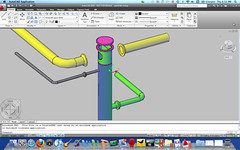
 OK so it is not a native Mac version of AutoCAD, but pretty close.
The new version of Parallels Desktop 5 for the Mac OSX has a new crystal view mode. This crystal view mode blurs the lines between Windows and Mac on your desktop as it shows none of the Windows OS UI. Parallels 5 also feels much faster than previous versions in my unscientific testing. Apple Bootcamp is still faster performance overall because it is running Windows natively, but you also must boot to Windows on your Mac with Bootcamp.
The sweet spot with Parallels Desktop is that I can run AutoCAD 2010 and other Windows applications on my Macbook Pro and still use my Finder or other Mac applications at the same time. In my case I had installed Parallels 5 on my Macbook Pro running OSX Snow Leopard and then installed AutoCAD 2010 on Microsoft Windows 7 running in the Parallels virtualized environment.


Autodesk now supports some of the 2010 products running on Parallels Desktop on a Mac. Having Windows 7 applications on my Mac desktop at the same time is fantastic. AutoCAD and Other Autodesk Software Supported on Parallels.
For more information on Mac support by Autodesk see http://www.autodesk.com/mac

Cheers,
Shaan

So what programs do you run on the Mac side & what is on the Windows side?
Do you use the 3D features? I have been trying AutoCAD 2009 in Windows XP in Parallels 4 on a MBPro and the 3D was reasonable, but not too snappy. And there were several times when the whole Windows system halted for a few seconds.
Rhino 4.0 Windows runs similarly. Not bad, but not as fluent as it could be.
Is Parallels 5 a good improvement over 4?
I run a bunch of apps on both platforms. From Autodesk, Adobe Pshop and Lightroom, GPS and Garmion software, Many Design software apps, Tweetdeck, IE, Camtasia, a billion free utilities, Outlook, MindManager, Windows Live especially Windows Live Writer as ther is no equal in Mac, windows 7 rock solid stability, and Vegas Pro. On the Mac side I use Camtasia 4 Mac, itunes, Maya, SketchBook, Keynote,GarageBand, FrontRow, Final Cut,MirrorScript Pro, TimeMachine, MS Office, and Tweetdeck.
Shaan
Yes I work with both 2D and 3D.
We worked with Parallels and VMWare for hardware acceleration so that graphics operations were faster. Hardware acceleration was not in older versions without enabling and having a special update until v5. Parallels also made some performance increases with the new version 5.
Hey Shaan,
What is the spec of your Macbook Pro? I have an old iMac (2.16 GHz, 2.5GB RAM and only 128MB Integrated Graphic) which I know is not up to the task. AutoCAD and Revit run quite slowly on it using Parallels 4. I need to upgraded in a few months but uncertain whether getting a Mac again wouldn’t be more of the same. 7x better graphics performance in Parallels 5 coupled with the faster spec should be much better, but I wouldn’t know until after I’ve bought it.
In your reply to Stefan Boeykens above, all your programs seem to be quite heavy duty and Parallels works well for you. Hence my question about the spec.
Thanks
I have a Macbook pro from late summer 2009 with 3’06 processor, 4 gigs of ram.
What parallels 5 configuration do you use? Mine freezes when working in 3d and cohernece/crystal mode.
Do you activate adaptive hypervisor? assign ram manualy? how much dedicated graphics?
Thanks for your advice.
sounds great! i’m going to try this. thanks!
Shaan,
Just wanted to know if you can cut and paste 2D elevations easily from Autocad in Parallels into Photoshop on the Mac OS.
Thanks,
Thoms
Hi Shaan
I have just installed Autocad 2010 on my Macbook pro on a WIndows 7 virtual machine on Parallels Desktop v5. I did the default install but allocated 4Gb to the virtual machine out of my 8Gb. Unfortunately when I try to open Autocad I get the message Autocad not responding. Am I not waiting long enough for Autocad to open? It seems very slow. The virtual machine seems to open by default in the Coherence mode. Could this be the problem? Did you install Windows 7 64bit or 32bit? I installed it with 64bit and apparently Autocad automatically detects this.
any suggestions?
thanks so much
Chris
Hi Shaan,
I just got a new MAC Pro and installed Parallels 5. I need to run Autocad 2010. What Windows 7.0 version is best to install (32 or 64-bit)?
Thanks,
L.A.
I just installed Parallels on my Mac Pro. I need to run Autocad 2010. What Windows 7 version is best to use? 32 or 64-bit?
Thanks, L.A.
Chris Lee,
I have a similar configuration and I want to know what Windows 7 version to run … 32- or 64-bit? When you get a response, I’d appreciate if you could let me know.
Thanks, L.A.
I have a new 13″ mbp with 4gb of ram. I installed vmware and use autocad lt 2008. Occassionally, when working in autocad the menus, windows and pop up lists will get covered by a white box. I adjusted the memory settings in VMWare to almost 2GB and have it using the two processors when in the virtual machine. It worked for awhile, but then it started doing it again. After rebooting the vm, all is well again until another command, usually a mtext or xref upgrade…any ideas on the issue?
PING:
TITLE: Rumor Post
BLOG NAME: Between the Lines
I love my Mac machines, and I love my PCs, but I am receiving a ton of emails asking to confirm some Internet rumors.