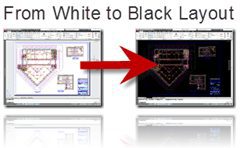

As a follow-up to the posting How to Change the AutoCAD Layout Background Color earlier this week in response to a Twitter request. I showed how to change the Layout paper background color. But what if you just want a solid black background in Layout with no paper like Modelspace, here is the solution.
The AutoCAD 2011 default white Layout background with paper and printable area background.

If you want to change you AutoCAD Layout background color from the defaults go to Options>Display. Now uncheck the first four Layout Elements.


Now select the Color button to change the AutoCAD UI element colors.

1. Select Sheet Layout
2. Select Uniform Background
3. Select Color Black or whatever color you want the entire Layout background color to be. In my case I am setting it to black like Modelspace.

Select Apply & Close and you are done.

Now you have a complete single color background Layout.
Follow me on Twitter at
@mrcadman or @autocad
Cheers,
Shaan

Thank you very much for providing this useful and handy information. This will surely help out!
Cha
cad jobs
Thank you!!
Thanks. My co-worker had done that as the light background was giving her headaches. Although I still believe Autodesk should make the outside background customizable so it’s not necessary to sacrifice the paper outline.
my background in paper space is white with color lines, I want change color lines to black lines, i did once but is impossible to remember how I did. thank you SO MUCH…
Ana,
Use the Page Setup Manager. I used the PAGESETUP command at the AutoCAD commandline or right-click on the Layout tab and select Page Setup Manager.
Now select your layout then select Modify.
Now in the Page Setup dialog in the upper right change the plot style to monochrome and be sure to select the option to “display plot style” as that will make your layout display the monochrome.
Best Regards,
Shaan
THANKS, that was a painful search for help until I stumbled upon this thread!
Kylie
You are very welcome and thanks for reading the blog.
-Shaan