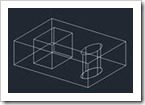
AutoCAD Tip: How to use Ellipses and Splines as Island Boundary Objects with Presspull Problem: Ellipses and Splines are ignored by the Presspull command when used as island boundary objects. Workaround: Turn off Selection Preview. Original geometry Presspull with Selectionpreview = 3 Presspull with Selectionpreview = 0 Hint: When using Presspull with Selection Preview off, you must place your cross hairs within the boundary before the command is executed. Thanks to Cliff Young of the AutoCAD QA Team for this AutoCAD Tip.
An alternate workaround is to set PELLIPSE to 1 but then you don’t have the same edit capabilities of your ellipse. Loading...


An alternate workaround is to set PELLIPSE to 1 but then you don’t have the same edit capabilities of your ellipse.