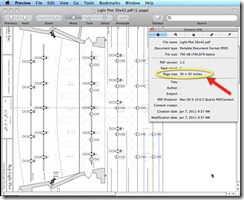
I received a question in the past hour on Twitter from @JenniRene82 “Jennifer” asking how to plot a 30 x 42 paper size PDF using AutoCAD for Mac. Here is a quick Tutorial.

I am starting with a drawing in AutoCAD for Mac of a Stage Light Layout Design by David R. Steinmetz of Set Works Inc. http://www.setworksinc.com/.

We have the drawing all ready to plot use the PRINT or PLOT command to bring up the print dialog. I then select the down arrow to expand the print dialog.

Select the Paper Size dropdown

From the available paper sizes select Manage Custom Sizes.

Now add a custom paper size for 30” tall x 42” wide
.

Name the new paper size and then select OK.

1. Make sure the new paper size is set current.
2. Select the PDF tab to select PDF output.

Name your PDF and set the location of the file to be created.

Now you have a 30 x 42 PDF and you are done!
Thanks for the question Jennifer!
Cheers,
Shaan @mrcadman on Twitter – Follow me!

I am running AutoCAD 2010 for Mac and am coming across a huge problem when printing to PDF: all lineweights disappear. In my page layouts lineweights are present and can be seen, but when I save as a PDF, not only do lineweights disappear but all curved & arc lines are changes to be jagged and not smooth as well as distorted. In addition, images that I’ve xref into the layout are totally unreadable and blurry.
Please please help me. I have this project coming up fast on me and am getting super stressed over this.
-Anthony
The scale on my print out is totally out comparing to my actual autocad layout and drawing. How do I solve this? please help..
There could be several reasons for this in your Pagesetup, device printable boundaries, or others.
I would suggest checking out a great resource with several years of answers- the Autodesk forum for AutoCAD Plotting as the experts in AutoCAD Plotting.
http://forums.autodesk.com/t5/Printing-and-Plotting/bd-p/30
Also the AutoCAD Support Knowledgebase
http://usa.autodesk.com/adsk/servlet/ps/index?siteID=123112&id=2714854&linkID=9240617
Best Regards,
Shaan