Guest post by Christian Barrett Senior Civil Applications Specialist at CADTECHS and of course on Twitter at @Civil3Dguide Be a Guest Author on Between the Lines
If you have used any Autodesk product, especially some of the AutoCAD vertical products, such as AutoCAD Civil 3D you may have likely seen the pop-up box shown below. Yes, the dreaded error report or known by Autodesk as the CER report!
You know, that annoying box that you close, while you complain about the software crashing once again. Possibly saying something like this, “I’ll be glad when this bug gets fixed”! Here is a news flash for everyone that has ever just closed that error report, Autodesk® may not know about your issue, because you keep choosing not to report the error.

For your benefit and the benefit of all users, we should always, submit our error reports. If Autodesk doesn’t know about your issue, and possibly the same issue that others are having, then the odds of the issue must be reduced when no or at fewer error reports or being submitted.
Would you not agree? In my attempt to increase the number of error reports Autodesk receives form all of us users, I am going to explain how I believe the error reports work. For more information click on the links on the error report next time, you manage to crash your software. Also, read the benefits listed on the error report.
The first thing that usually happens when we get an error is, a pop-up box showing the error in a coded format. Most of these errors are simply listing a Windows® error, it is not the magical code that pinpoints exactly what has went wrong, as many perceive. There is no master list containing each error code that the Autodesk staff can look at and determine, the issue, or how to correct it sometimes the codes are directly useful.
Next, you get the error report shown above. This is what you need to do. Put your email addressee in the box. You will only have to do this once, and if you ever contact Autodesk support for help, they can pull all of your error reports based on your email address used in your reports. Then, give a description of what steps you were taking when the error occurred, more is better, but a simple sentence is better than no information. I sometimes add a funny phase or something of that nature, hopefully get my report a little more attention, or just to give the technical staff a giggle.
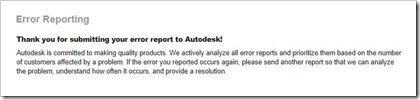
After you submit your report, you will automatically be connected to the Autodesk server to check for any updates or service packs that may correct your issue. I have been helping many people when the error report pops-up and about as quickly the user closes the report. When if they had only submitted it, even with no information in the boxes, they would have been informed of the available update. If there is not an update that may correct your issue, you will receive a message like the one below.

Now that all of us are reporting all of our errors, Autodesk has many more error reports, allowing them to know exactly how many times an issue is causing a problem, and how many users are experiencing that or other issues. If we do not report the issue, crash, bug, etc…, then how can we expect the issue to be corrected?
Do yourself and all of us users a favor, and never click that little red box in the upper right corner again, always submit your error reports!
Thank you Christian!
Shaan>
When your issue is fixed if you provided a valid email you will be notified of the update of your issues fixed by email.Also all error reports are immediately submitted into the system and reviewed by a real product QA person and researched for trends and where the code failed. Of course Autodesk cannot fix issues that occur outside the products like system related but most products updates have a high priority of error reporting reported fixes. Also be sure to mention in the comments what you were doing as that may provide a key clue as to how the failure occurred. These error reports have significantly resulted in the increase in product quality for all users.
Bottom line report error reports and tell others otherwise the issue may never be known to Autodesk and fixed.
Cheers,
Shaan

I see two reasons why most users don’t generaly submit this report (including me):
1/ the urgency of the situation does not incite to spend time filling the report and following the steps you outline. When I I have a crash in the middle of my work, my first concern is to get back to work.
2/ the crash may have been caused by the Autodesk product I use, but may as well been caused by a trillion of other causes. Psychologicaly speaking, submiting a crash report to Autodesk for a problem that may be remotely linked to them is equivalent to filing a complaint to Microsoft for a crash in Windows or hoping to receive an answer from an extra terestrial intelligence in the Universe.
This said, I appreciate Autodesk’s effort to change that situation.
My experience is when I filled the form, (I did) is I did not received neither an immediate or delayed solution for my problem.
Patrick you can always ignore, but understand it does not help others that may be experiencing the same issue and we need all data to find the cause. It only takes 3 seconds at most.
We actually have a real person review all reports as it does not go into a black hole and they are databased and linked to other reports of the same issue for development to research a cause and find a solution.
I was only decribing what goes through the “end user” brain when experiencing a crash. I will make an effort but your article makes me think my attitude is no so exceptional, if it was, you would not have felt the need to insist on the necessity to fill this report 😉
I understand but if we dont know about a crash, we cannot address it. We just want to spread awareness on how to make the product better and resolve issues people may be experiencing.
Thank you
Here is the article relaying yours on AUGI France: http://augifr.ning.com/profiles/blogs/envoyez-le-rapport-d-erreur-a-autodesk
Merci
Since I work with products as Civil 3D and I believe that the software is subpar compared to any other software in the market in regards to its stability, please give me a reason of why would I want to submit anything when they are not addressed for years even thru the support request system? What would make me believe that what I submit every time I get a crash will be of any use if the ones I submit when I don’t have a crash will be less likely to be addressed. I don’t freaking pay for debugging your software and for sure I don’t pay for the apology emails. That’s why software companies have a release cycle of several years for their products in order to work out the bugs and make sure that the user gets what he paid for. And since this post (by coincidence) refers to Civil 3d, I will not want to say more, since I am tired of workarounds. But I guess, I should go back to my corner and hold my fingers crossed for a stable release with less “new useless” features but with less crashes.
Becuase if it is not reported we cannot research and fix it. The more people that report an issue the higher it gets escalated.
Shaan, there are issues out there that are related to the basic functionality of the software. Also there are issues there are related to features that are major part of the software. I know for some are workarounds and for some are not, but giving me a workaround should not release you from fixing it in the SP. But of course you will pass me the next release in an year, that still has the issue reported for years in the previous releases, because you guys did not have enough time to fix it, since your release schedule is so tight. Then comes the fact of implementing new features that are not studied enough to be deployed and when the interdependencies between them and the other features fail, you will get lots of fun. Every support request, bug submittal will require time and money from my side to stay and guide you thru the steps. Every workaround will cost me time and money to guide the users thru the workflow. So how about take time to fix the software and then you’ll have happy users.
For feature requests not crashes I would strongly suggest signing up at https://beta.autodesk.com/ as that is where the teams communicate on future releases and show what they are working on early in development and to get the feedback from customers and requests. There is also Autodesk Usability you can get involved in.
I also believe there is a Civil3D Wish List at Augi.com
I was part of the beta testing team for Civil3D and I can figure out that the new release was pushed out with lots of bugs still present. I love C3D, but the lack of understanding and desire of building of a product that shines thru “quality” makes me want to scream. The new features present in this version are worthless, since the so much praised pressure pipes does not have a builder or cannot be data referenced. That’s half way done job…. So maybe for a full job done on that I will have to wait until next year (hopefully) and pay the subscription fee. And I don’t know how many use C3D to design Railroads. But when it comes about the features, please consider the features that I mentioned in the past post as existing features, that are already present in the software. I am not talking about future wishlist and features.
Why would you implement new features when the base of the software is not yet bug free? So build on top of a not stable platform and pass the debugging to the users? And charge them for it?????
If I would consider C3D a new car that I buy from the dealer and then I have to fix it and pay for the fixes as I do for C3D then for God’s sake I would take it back. That’s what C3D feels like at this moment : like a lemon that I buy and that I have to keep it and pay to own it…
I get a lot of error reports and I send them all to Autodesk. Most of the time I don’t fill in the details of what I was doing to reproduce the crash.
After a while, Autodesk will respond to your Reports. And sometimes notify you if there is a new update/servicepack.
I understand the value of this when working with current software. We currently use ACA 2009 – is there value in sending error reports from older software?
All CERs are valuable as the problem may be existing in current releases.
Thank you,
Shaan
Hi Christian,
This error reporting education is really much needed since around 98% of time people just try to close it without reporting the issue to autodesk..Thanks for bringing this!
razor wire