
AutoCAD for Mac no longer follows the AutoCAD Windows release cycle but is now aligned with the Apple schedule to take advantage and be able to support major Apple OS updates. Today October 22nd, 2013 Apple announced the release of the next version of OSX Mavericks as well as some new iPads, Apps, laptop and Mac Pro announcements.
Update: Both AutoCAD for Mac 2014 on the Mac desktop and AutoCAD 360 on the new iPad Air were seen in today's Apple new products live announcement event. 

Watch the Apple keynote video Watch the Apple iPad Air video
Now there is a new AutoCAD 2014 for Mac and AutoCAD LT 2014 for Mac available for trial and purchase.
- AutoCAD for Mac 2014 and AutoCAD LT 2014 for Mac support the new Apple Mac OSX Mavericks OS which is the release after Mountain Lion.
- Retina Display Support: If you are using an Apple laptop or desktop that supports Retina Display you are in for a treat that will make your eyes happy. The drawing lines in-canvas, icons, UCS, ViewCube on a retina display will increase the pixel density by four times. It is amazing in clarity compared to standard pixel density.
Here are a couple examples of regular display and Retina display:


- eTransmit Support: In Windows based AutoCAD there has been the eTransmit command for years to package up a DWG files and referenced files to send to someone else or archive a project. You now have this feature in AutoCAD 2014 for Mac (and AutoCAD LT 2014 for Mac) and the feature is named Package Drawing.

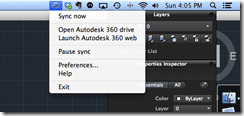
- Autodesk 360 support including drawing sync.

- Print dialog changes
- New Help system
- and more…


Micah Dickerson the AutoCAD for Mac Product Manager produced nice overview videos:
AutoCAD 2014 for Mac video overview: http://youtu.be/cUSmxdVIimw
AutoCAD LT 2014 for Mac video overview: http://youtu.be/0p-y-uP-80Q
The full version 30 day trial is now available for download, so go ahead download and give it a go. http://www.autodesk.com/products/autodesk-autocad/free-trial
If you are customer of AutoCAD 2014 Windows or AutoCAD Design Suite your serial numbers should work on the AutoCAD for Mac 2014.
Cheers,
Shaan

What about 2013 versions, will they run on Mavericks?
Brant,
AutoCAD for Mac 2013 was released 18 months ago long before OS X Mavericks or even OS X Mountain Lion. AutoCAD 2013 for Mac would be unofficially supported on Mavericks. The team are testing it currently and if serious issues are discovered, we will consider it for a service pack update.
Regards,
Shaan
What about student version? It’s still not available on students.autdesk.com …
Hello Shaan,
Is there a complete list of what’s new in this version?
Thank you
Egor,
Thank you for the question. They are working to post the AutoCAD 2014 for Mac to the student community as soon as possible.
Regards,
Shaan
Eric,
All information is posted to the AutoCAD webpages including a compare AutoCAD 2014 Windows to AutoCAD 2014 for Mac list.
http://www.autodesk.com/products/autodesk-autocad/overview
Regards,
Shaan
I guess AutoCAD 2011 Mac is no longer supported? Is anyone test in the compatibility with Mavericks. I hate spending thousands of dollars on software I can only use for a year or two or lose out on OS improvements.
Dave,
You can continue to use the software on the platforms and hardware it was developed and supported including the OS X update from Lion to Mountain Lion. We are unable to guarantee and support compatibility on an unknown future Operating System as we were not aware of OS X Mavericks in 2011. So while AutoCAD 2011 for Mac may run just fine on Mavericks, we just don’t officially support it.
Anytime whether Mac OS X or Windows an OS major update is released you need to consider all your software before upgrading on the new OS same with looking at your hardware’s compatibility.
Sincerely,
Shaan
Saying that the 2013 version won’t officially be supported by AutoCAD is insane.
We payed a lot of money for a serious and professional software. I don’t expect a 3-4 years old software to be supported, but a 0-1 years old software costing from <$1,000 not being supported is a disrespect for customers.
I really hope AutoCAD is updated, if not you’ve lost me as a customer. And I’m sure many more.
With AutoCAD 2013 for Mac we are currently testing the new OS X and will have an update for Mavericks support as it will be supported.
Regards
Shaan
I still preferred the time where we could download the Preview Guide in PDF format.
It was still more complete.
I have pc version of building design suite ultimate 2014. Can I use same serial for Autocad for Mac 2014?
I know the license for AutoCAD 2014 and AutoCAD Design Suite work. You could try and see if it accepts the serial from the Building Design Suite 2014.
Cheers
-Shaan
why can i not install Autocad 2014 Mac version WITHOUT 360? And, whats even more negative: The uninstaller does not uninstall everything from my mac. 360 is not able to be uninstalled, and a few more Autodesk folders,too.
I installed the 2014 autocad trial on my mac with Mavericks on it yesterday after updating to 10.9, and didn’t worked, do I have to download an extra patch or something? Just won’t run.
Thank you for the feedback. I will pass this onto the team.
-Shaan
Jorge,
AutoCAD 2014 for Mac was developed to be compatible with OS X Mavericks. I am not sure what the issue could be in your situation setup. I would suggest looking in our Autodesk Discussion Forums http://discussions.autodesk.com.
Had to download the free trial (AutoCAD 2014 LT for mac)in bootcamp Window 7 running on my MacBook Pro (OS X Mavericks installed)because the trial appeared to download in OS X but when I clicked on it to install it started to download itself again. Tried this four or five times. The downloaded trial from bootcamp was opened in OS X and AutoCAD LT 2014 loaded fine.
I have AutoCAD LT 2010 installed on my bootcamp drive running Windows 7 can it be upgraded to AutoCAD LT 2014 for Mac?
I would try another browser as something doesn’t sound like it is working proper. As for upgrades of LT I am not aware of them but check the Autodesk eStore.
Regards
Shaan