We have a user installing it to the new Maverick OS and after hitting install it just dies right there after getting past the SN and Key entry, it takes him to the install page where he can choose custom or standard. Either way ends up with the same results.
Anyone else running into this? On a Mac OS where are the install log files?
Loading...
AutoCAD 2013LT for Mac App on Mavericks has serious glitches
AutoCAD 2014LT for Mac trial on Mavericks keeps crashing
Please provide fixes, this is frustrating!
Loading...
We have an update for AuotoCAD 2013 for Mac currently in beta testing by customers at beta.autodesk.com. Currently only AutoCAD 2014 for Mac is officially supported on Mavericks.
Please report any specifics and steps on the 2014 LT such as steps and if it is certain files in the Autodesk discussion forums.
Thank you,
Shaan
Loading...
Just confirming that we do have an update in testing, and that should be available soon. As Shaan mentioned, please continue to report any problems that you may be experiencing in the Forums (http://forums.autodesk.com/t5/AutoCAD-for-Mac/bd-p/520) so that we can be sure we’re tracking everything.
Loading...
Using the free trial on a Mac Book Pro Retina Display with 16GB Ram and Quad Core Processor yet it is slower and more cumbersome than a 2006 version running on XP was.
It keeps crashing when I start the program but if I choose and AutoCAD file and right flight to ‘Open with’ it seems to work.
Also when doing a simple task like dimensioning there is a .5 to 1 sec delay between completing a dimension and moving to the next task – very frustrating!
is anyone else having these problems?
Loading...
I (and many Mac users) have encountered an issue where some of the MacOS X UI displays artifacts. In my particular case the dock’s genie effect was very jerky.
As commented in this Apple Support Forums thread : https://discussions.apple.com/thread/4136677?start=60&tstart=0
The issue is resolved by launching and quitting Autocad 2013 for Mac. It definitely seems to be an Autocad issue.
Funny to finally find out after 5 pages of comments that we were all Autocad users… 🙂
Loading...
Hi Fawzi,
AutoCAD for Mac team already noticed this issue, and we are working on fix. Thanks for reporting this issue!
Thanks
Jian An
Loading...
Shaan, I’m wanting to upgrade to Autocad 2014 and make the change to a Mac desktop….I’m searching for good advice/history/experience from others who have done this….I’m starting from skeptical but eager. What can you say or where can you direct me for some confidence before shelling out big bucks?
thanks,
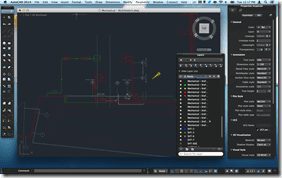
 The AutoCAD for Mac Team would like to get your feedback in a quick survey to better understand your initial feedback and opinion of the product.


We have a user installing it to the new Maverick OS and after hitting install it just dies right there after getting past the SN and Key entry, it takes him to the install page where he can choose custom or standard. Either way ends up with the same results.
Anyone else running into this? On a Mac OS where are the install log files?
AutoCAD 2013LT for Mac App on Mavericks has serious glitches
AutoCAD 2014LT for Mac trial on Mavericks keeps crashing
Please provide fixes, this is frustrating!
We have an update for AuotoCAD 2013 for Mac currently in beta testing by customers at beta.autodesk.com. Currently only AutoCAD 2014 for Mac is officially supported on Mavericks.
Please report any specifics and steps on the 2014 LT such as steps and if it is certain files in the Autodesk discussion forums.
Thank you,
Shaan
Just confirming that we do have an update in testing, and that should be available soon. As Shaan mentioned, please continue to report any problems that you may be experiencing in the Forums (http://forums.autodesk.com/t5/AutoCAD-for-Mac/bd-p/520) so that we can be sure we’re tracking everything.
Using the free trial on a Mac Book Pro Retina Display with 16GB Ram and Quad Core Processor yet it is slower and more cumbersome than a 2006 version running on XP was.
It keeps crashing when I start the program but if I choose and AutoCAD file and right flight to ‘Open with’ it seems to work.
Also when doing a simple task like dimensioning there is a .5 to 1 sec delay between completing a dimension and moving to the next task – very frustrating!
is anyone else having these problems?
I (and many Mac users) have encountered an issue where some of the MacOS X UI displays artifacts. In my particular case the dock’s genie effect was very jerky.
As commented in this Apple Support Forums thread : https://discussions.apple.com/thread/4136677?start=60&tstart=0
The issue is resolved by launching and quitting Autocad 2013 for Mac. It definitely seems to be an Autocad issue.
Funny to finally find out after 5 pages of comments that we were all Autocad users… 🙂
Hi Fawzi,
AutoCAD for Mac team already noticed this issue, and we are working on fix. Thanks for reporting this issue!
Thanks
Jian An
Shaan, I’m wanting to upgrade to Autocad 2014 and make the change to a Mac desktop….I’m searching for good advice/history/experience from others who have done this….I’m starting from skeptical but eager. What can you say or where can you direct me for some confidence before shelling out big bucks?
thanks,